Your first log, two minutes from now.
Everything you need to get going — whether the boss just added you to the team, or you're the one running it. No manual, no training day. This page is the whole thing.
On the crew? Start here.
If you got an email saying your company added you to SiteLog AI, setup is three steps — and your jobs are already loaded when you're done.
Get the app
Download SiteLog AI free — iPhone or Android. Your seat is already paid for by the company — you never enter a card.


Sign in with your work email
Use the exact email your invite came to — that's how your jobs and seat connect. We email you a 6-digit code, you type it in, done. No password to remember.
Your jobs are waiting
The jobs your admin assigned are already in the app the first time it opens. Nothing to set up, nothing to configure. Pick a job and log your first note.
Your first log — 30 seconds.
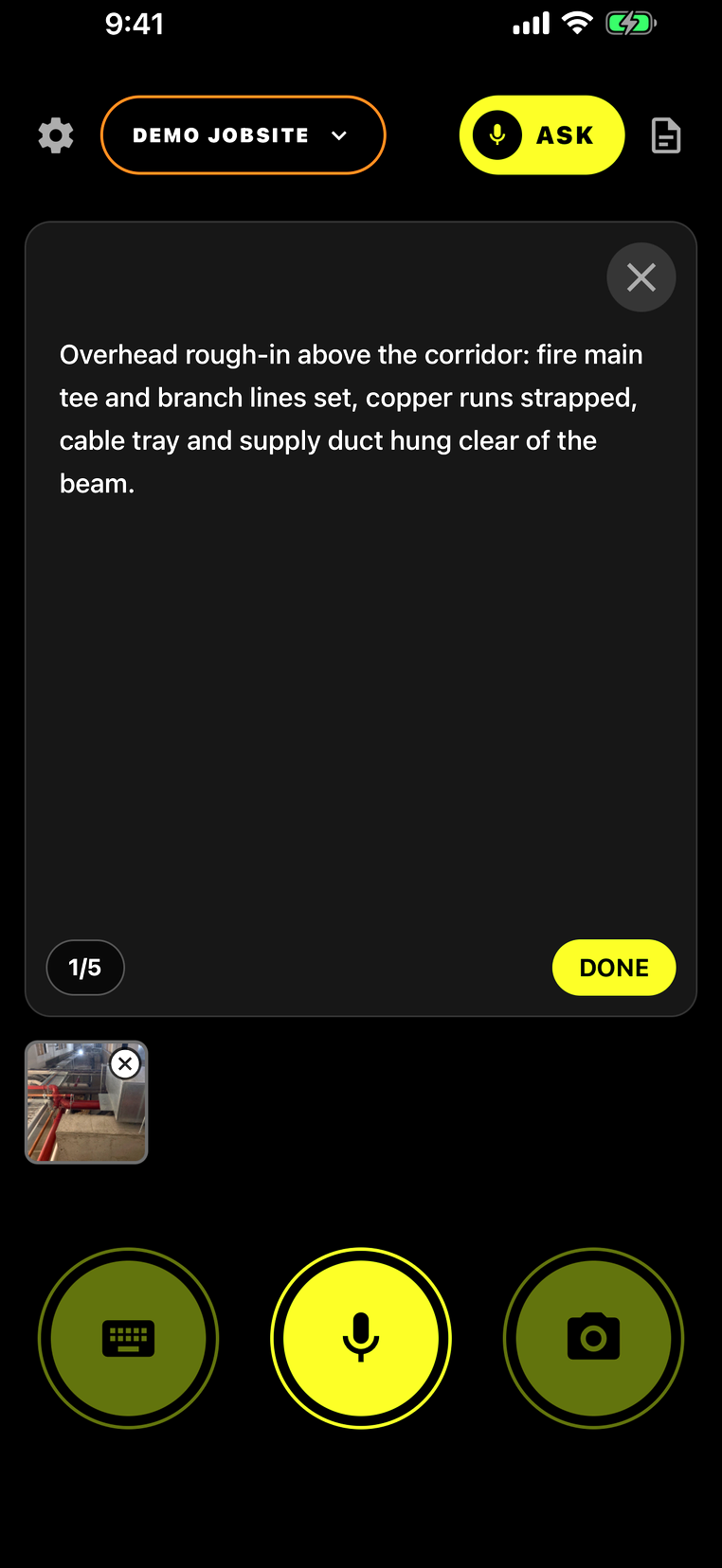
SiteLog has one job: get what you're looking at on the record before you're out of the parking lot. Three buttons at the bottom of the screen: keyboard, mic, camera.
- Snap it. Tap the camera and shoot the work — up to five photos on one log.
- Talk it. Tap the mic and say what's important. Your words appear on screen as you speak, spelled right — rebar, CMU, GFCI, RFIs.
- Tap DONE, pick a category. URGENT, TASK, RFI, or RECORD — one tap files it with the date, time, and photos, for the life of the job.
- That's the whole job. Every night, the day's logs are sealed into a daily report automatically. You never build a report at 7pm again.
Running the team? Here's your dashboard.
Everything you manage lives at sitelog-ai.com/dashboard — sign in with your admin email anytime. Four things you'll actually do:
Type the job name and address, pick who runs it, tap ADD JOB. The job lands in that person's app automatically — even if they haven't signed in yet, it's waiting on their first open.
Enter a work email and tap INVITE. We email them the download links and sign-in steps — you don't explain anything. Each teammate you add is a $24.99/mo seat (prorated automatically); your own seat is free until you put a job on it.
Super leaves, new one starts? Change the name on the job in one tap. Every log stays with the job — the record belongs to the company, and the full history is there for whoever takes over.
Manage billing opens your Stripe portal — card, invoices, receipts, cancel. Seats count themselves; you'll never do seat math. 30 days free, then billing starts on the card you added.
Quick answers
I didn't get my sign-in code or invite email.
No signal at the jobsite — does it still work?
Where do the daily reports go?
Can I fix a log after it's filed?
I'm solo — no team, no admin.
Stuck on anything? support@sitelog-ai.com — a person reads it.